ShopDreamUp AI ArtDreamUp
Deviation Actions


Suggested Deviants


Suggested Collections


You Might Like…


Description
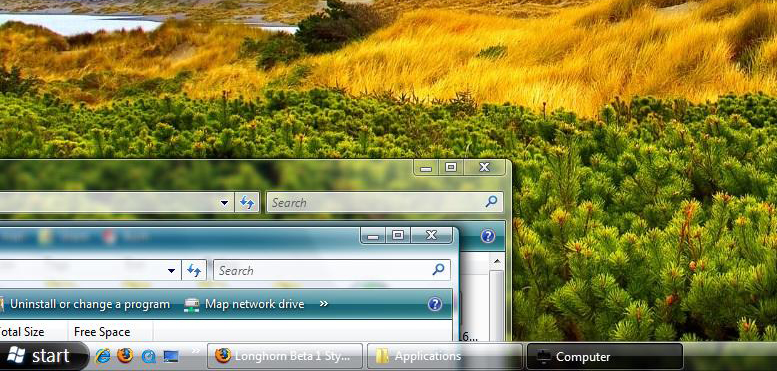
Based off of what I think was one of the best beta UIs of Windows Longhorn, with a few of my own additions. This theme is virtually identical to the theme that was used in Beta 1, except with a few minor differences. Firstly, the taskbar is true glass, meaning it's not dark shaded, or some cloudy 4074 glass task bar. As far as I know it's functional to the point where it can be used on a day to day basis. Personally I've used this theme since I created and haven't gone back since. There is no shellstyle.dll created with this release, mainly because I felt I couldn't improve on the current shell style that is in place. Also, DWM is largely unmodified, except for one minor detail, the close button is no longer red when the window is active, as I felt that it was a huge blemish on an already picture perfect Aero Glass. One last thing, I really hope you enjoy this release, I've spent about a week on it, not as long as other themers, but this is simply a mod of the Windows Aero theme.
As far as I know, this is the first Vista visual style to be released on Deviantart..
As far as I know, this is the first Vista visual style to be released on Deviantart..
© 2006 - 2024 hiromoshi
Comments42
Join the community to add your comment. Already a deviant? Log In

when using high dpi (120 instead of 96) the start button will be replaced by the standard orb. thats disgusting.